Changelog
Everything we ship, as fast as it ships.
Sandbox snapshots: durable off the host, cold storage when idle, and an expiry you set
You say to your agent “Snapshot this sandbox so we can branch from it next week, and have the snapshot clean itself up in thirty days.”
Three changes to sandbox snapshots, all about keeping them.
Every snapshot now has a durable copy off its host. Until today a snapshot lived only on the machine that made it, so losing that machine lost the snapshot. Now every snapshot is copied off the machine automatically, encrypted, at no extra charge. If the machine dies, your next fork fetches the copy and carries on.
Idle snapshots move to cold storage. A snapshot you have not forked in a while can leave its machine and bill $0.05 per GiB-month in cold storage instead of the $0.10 stored rate. A snapshot bills exactly one of those two rates at a time, never both. The next fork brings it back on its own, and that one response carries
rehydrate_msso you can see what the wait was. Forks after it are fast again, and a snapshot you forked recently never moves.You can give a snapshot an expiry. Snapshots still live until you delete them by default. Pass
expires_afterwhen you bake or snapshot, with a value like"24h"or"7d", or set one later withset_sandbox_snapshot_expiry. At the deadline the snapshot deletes itself exactly as if you had deleted it, and sandboxes already forked from it keep running.get_sandbox_statsnow says which tier each snapshot is in and when it expires, andgman sandbox lsshows the same. The details are in the docs.
Sandboxes: a default image with node and python, and a create that stops booting
You say to your agent “Give me a sandbox and check what runtimes it has.”
Two changes to rollout sandboxes, both about the first thirty seconds of using one.
There is a new default image.
sbx-basecarries python3 and pip, Node.js 24 and npm, git, curl, and a C compiler, and it is what you get when you create a sandbox without naming an image. Before today the default was bash and coreutils, so an agent harness that checks for a runtime before it starts work found neither python nor node and had nothing to tell you about why.sbx-minandsbx-taskare unchanged and still available by name, and naming an image we do not have now lists the ones we do.Creating a sandbox mostly stops booting one. The first sandbox you create for an image boots it, as before. After that, creating another one of the same image and size forks the snapshot the first one left, which takes tens of milliseconds instead of a couple of seconds. Nothing about it changes what you get: it is your own snapshot, in your own workspace, and the response still names it so you can fork it yourself. The response now also says which happened, in
reused_snapshot.Passing a
setupcommand still boots every time, because the snapshot has to carry your setup. And for more than one sandbox, onecreate_sandbox_envplus one fork call for all of them is still far better than a create per sample - the round trips cost more than the sandboxes do.The
gmanhalf of this ships in 0.8.1: the new default image, and agman sandbox createthat says whether it booted or forked. Rungman upgrade.
Spend limits: every ceiling on one page
You say to your agent “Something stopped my run for hitting a limit. Which limit was it, and raise it to eight thousand a month.”
An organization can have a lot of spending limits at once: one on the organization as a whole, one on the workspace new nodes land in, and one on any other workspace you have set a budget for. Until today each of those lived on a different page, and none of the pages named more than one of them. If a limit stopped your work, finding out which one it was, and where to change it, was a puzzle.
There is now a spend limits page. It lists every limit in force, organization cap first, then the workspaces closest to their own limit, with what each has spent this month, what its ceiling is, and how much is left. The share of the ceiling used is drawn on one scale across every row, so the limit about to bite is the longest bar rather than something you work out. You set a workspace limit in place, in the same row you read it in, and clearing the field removes the limit.
The page is built for accounts with a great many workspaces, so it does not try to list them. It ranks the budgets nearest their threshold, finds any one workspace by the start of its name, and counts the rest. Every limit notice we send now links straight to it.
The organization cap is still ours to move: it is shown here with everything else, and you ask us to raise it. Workspace limits are yours, and every change to one is recorded in your audit log.
gman sandbox: rollout sandboxes from a terminal
You say to your agent “Bake my grader into a sandbox, fork eight copies, run one rollout in each, and delete them once you have the rewards.”
Every rollout sandbox capability is now a
gmansubcommand, so a shell script or a CI job runs the same loop your agent runs. You bake an environment once, fork one sandbox per sample, run the batch, and delete it, without hand writing an API call for any of it.gman sandbox bake --image sbx-task --warm-file ./setup.sh gman sandbox fork env-1f4c2ab90d3e --count 8 gman sandbox exec --batch rollouts.jsonl gman sandbox rm sbx-0a1b2c3d4e5f sbx-6a7b8c9d0e1fThe batch shapes survive the trip. One
execcall fans a command across every sandbox you name, and--batchreads a file that gives each sandbox its own command when the samples differ by a seed. Onermcall deletes the whole fan. Exit codes carry what a script needs to branch on. A single exec exits with the remote command's own code, a fan-out exits zero only when every result exited zero, andrmexits non-zero when any sandbox came back undeleted, because that one is still running and still billing. A result that comes back void, meaning something broke on our side, also exits non-zero and says so, so a script never scores our failure as your model's.This ships in
gman0.8.0. Rungman upgrade, thengman sandbox --help. The whole loop is written out under rollout sandboxes in the docs.
Rollout sandboxes: bake an environment once, fork it per sample
You say to your agent “Bake a python sandbox with my grader in it, fork sixty-four copies, run one rollout in each with its own seed, and delete them once you have the rewards.”
A sandbox is a small isolated virtual machine that runs shell commands for your agent, and it is now available to every account. You bake your setup into a snapshot once, then fork that snapshot into one sandbox per sample. A fork resumes the snapshot exactly as it was, with its memory, running processes, and warm caches intact, in a few tens of milliseconds, and forking is free. Sixty-four rollouts are one bake, one fork call, one exec call across all sixty-four sandboxes, and sixty-four deletes.
This is the piece our post-training guide used to send you elsewhere for. Code your model wrote can now run and fail next to the GPUs that produced it, on one bill, with no second vendor in the critical path of every rollout. A sandbox has no network at all, which is what makes it safe to run that code in, so everything a run needs arrives in the commands you send and downloads stay on a node or in a job.
You pay for the RAM a sandbox holds, per minute, while it is running. A sandbox that goes a second and a half without a command parks itself: it hands back the memory it is not using, so you stop paying the RAM rate on that and pay a much cheaper per-GiB-month rate on the disk it holds. A park only ever takes spare memory, so processes you left running keep running, and your next command wakes it in tens of milliseconds. There is nothing to call. How much you save depends on how much the sandbox was holding. Forking is free, baking bills as ordinary sandbox time, and a stored snapshot bills per GiB-month of its deduplicated bytes. When a command fails because something broke on our side, the result says so and that time is excluded from your bill in the hour it is recorded, so an infrastructure blip never teaches your model that its answer was wrong. The rates are in the pricing table on the front page, the month to date is the
sandboxesline inget_usage, and the loop is written out under rollout sandboxes in the docs.Jobs can run images from your own private registry
You say to your agent “Run our trainer image from GHCR on eight H100s. It is a private repo.”
A batch job can now run an image from a private Docker registry. An org admin stores the pull credential once from their own terminal as a
registryconnection, and after that jobs name the image the way they always have. We match the image against your connections and authenticate the pull, so no credential goes near the job, the agent, or the chat.gman connection create acme-images --kind registry \ --scope 'ghcr.io/acme/*' --username acme-ci --material-stdin < token.txtThe scope is written like the image refs it admits, without a tag. Pin one repository, an owner with
ghcr.io/acme/*, or a whole registry withghcr.io/*. The credential is checked against your registry before it is saved, so a wrong token fails at your terminal instead of hours later inside a queued job. GHCR, Docker Hub, Quay, Harbor, Artifact Registry, and Azure Container Registry all work. Amazon ECR does not, because it only issues tokens that expire after twelve hours. The details are under private images for jobs in the docs.
Agents can buy credit themselves over Stripe machine payments
You say to your agent “We are out of credit and the sweep is half done. Buy fifty dollars more with the payment token and keep it running.”
An agent holding delegated spend authority, a Stripe shared payment token minted against a card its principal controls, can now buy prepaid credit for your org on its own. It posts an amount to
/pay/v1/topupswith an org service token, receives an HTTP 402 payment challenge, pays it with the token, and the credits are live on the retry of the same request. No card is stored with us, and nobody has to get up to open the billing portal.For an org that pays by card but has not saved one yet, the first settled machine payment switches billing to prepaid. Work runs against the credit balance, stops when it reaches zero, and resumes when the agent buys more. A refusal for a missing payment method or an exhausted balance now names the endpoint, so an agent with spend authority can cure the refusal and carry on. The full protocol is under machine payments in the docs.
Task sets: one job that works through thousands of tasks
You say to your agent “Render these 5,000 prompts overnight - one task per prompt, and tell me in the morning which ones failed.”
A batch job can now carry a list of tasks instead of doing one thing. Pass
taskswhen you submit, and your command runs once per machine and asks for work as it goes, leasing tasks from a local endpoint inside the container with no credential to manage. One container start and one image pull cover thousands of tasks, and losing a machine costs the tasks it had in flight rather than a whole shard of the run.The point is stragglers. Splitting 5,000 prompts across eight jobs by hand ends when the slowest eighth ends, which on work whose items vary tenfold in duration means most of your machines idle while one finishes. With leasing, a machine that finishes a task takes another, so the run ends when the work does. A task that fails is tried up to three times and then recorded with its reason - a failed task never fails the job - and
get_jobanswers with the counts (done, failed, leased, pending), so checking on a run is one call.We run a set on more than one machine when the backlog warrants it and stop them as it drains, up to a ceiling you set (
task_max_runners, 4 by default, up to 32). You still submit one job and watch one job, and you pay job rates for the minutes each machine runs; if we cut a run short, the tasks that were in flight are not billed. If you do not know every task up front, submit withtasks_open, feed the set withadd_tasks, andseal_taskswhen the list is complete. The task sets section of the docs has the runner loop to drop into your container, and the rules that keep a result from being written twice.
Sponsors can hand a grant invite's claim link to the researcher
A grant invite travels by email, and some university mail systems quarantine that email without a bounce: the researcher never sees it, nothing reports a failure, and the sponsor is left asking whether it was ever sent. A whole cohort hit exactly that last week.
Each pending invite on your program's page now carries copy claim link. Send the link over any channel you like - the claim is bound to the invited email address, and accepting still requires signing in with that address, so the link claims nothing in anyone else's hands. Revoking the invite still kills it. And invite sends are now fully logged on our side, so “never sent” and “sent but swallowed” are distinguishable the moment you ask us.
Copy files between nodes in one call
You say to your agent “Copy the app directory you prepared on node one over to node two, then run it there.”
copy_filemoves a file or directory from one of your running nodes to another in a single call. The nodes do not need to share a private network. Until now the options were re-uploading every file from your agent's own context, relaying archives through the chat, or standing up an ad hoc server between the nodes, and all three were the wrong tool the moment the payload grew past a few files.A file lands exactly at the destination path you name. A directory's contents land extracted under the destination directory, merged file by file over whatever is already there, so the prepare-edit-copy-again loop just overwrites the files that changed. The call returns as soon as the source has been read, along with a checksum and an artifact id that serves as your durable receipt, and your agent polls
get_importon the destination node until the write reports complete.Stopping a node now quotes the price of getting it back
You say to your agent “Stop the node - but first, how long would it take to wake it again if I need those files?”
Stopping a node parks its disk, and waking it can queue behind other wakes when the shape is busy. Until now the only way to learn that queue's price was to attempt the wake: stop, come back later, ask for a file, and discover the estimate says hours. If the parked disk held the only copy of something you needed, the gamble was already taken.
Now every
stop_noderesponse, and every check on a stopped node, carries awake_estimate: the number of wakes already waiting for the same shape, and the measured time-to-ready a wake requested right now would be quoted, with its p90. It reads the queue as it stands - it reserves nothing, and a wake when capacity is free is still near-immediate - but the tradeoff is visible when you park the disk, not first when you ask for it back. When the number is long and the files matter, keep a durable copy instead: snapshot the node, or export the results before stopping.Read the egress policy from inside a node
You say to your agent “The download keeps failing with a TLS error. Is the box blocking it?”
Your agent can now answer that by reading instead of guessing. From inside any node or job container, the metadata service serves the network policy:
curl -s -H 'Metadata-Flavor: givemeanode' http://169.254.42.1/v1/egressThe default is open internet. The response lists the few blocked destinations, which are outbound SMTP on port 25, a handful of mining pool ports, and the cloud metadata IP. The blocked ports fail fast with a connection error. The metadata IP is dropped silently, so a connect to it hangs.
The response also states what the policy never does. DNS is unfiltered and TLS is never intercepted. So when a download fails with a certificate error or a name that will not resolve, the origin is the problem, and the fastest fix is a mirror. Your agent can read the boundary up front instead of discovering it one failed download at a time.
Every node type has a name
You say to your agent “Get me an h100-8 and run the sweep on it.”
The CPU-only nodes have always had names you could say out loud,
cpu-2andcpu-8. The GPU nodes had a spelling rule instead. Now they have names too.h100-1is one H100 andh100-8is a whole eight-GPU machine, and you can pass either name aschipanywhere you ask for a node.The pricing table on the front page is now a list of those names, one row per type. What each type actually comes with, meaning the GPUs, the cores, and the RAM, is on the docs page under what a node gets.
Nothing you run today needs to change.
h100and8xh100still work everywhere, and they are still what the API sends back.Samples play and read on the mission page
You say to your agent “Save a two second rollout clip and the eval json every 500 steps, and put them on the mission page so I can watch the run from my phone.”
A sample declares what it is, and the mission page has always promised to show it that way. Images did. Audio, video, text, and json got a download link, which is a strange thing to hand someone who is watching a run.
Now every kind renders. Video plays in the grid at its own shape, audio plays in a strip you can scrub, and text and json are readable where they sit, indented if they parse, with the whole file one click away when there is more than the tile shows. Nothing else about samples changed. Your job declares them the same way, and the same 64 MiB and 256 capture limits apply.
If a sample cannot be shown, the tile says so and offers the download. That covers a link that has gone stale, which refreshes on its own, and a video in a container your browser will not play.
Your node tells you when its machine retires
You say to your agent “Check tulip before you start the next epoch, and tell me if anything is going to interrupt it.”
Machines retire on a schedule, and a node on one has a deadline. Until now the only way to hear about it was to be attached to a live session, where a countdown appeared in the terminal, or to read the deadline from inside the container. An agent working through the tools, which is most long runs, found out when the node stopped.
get_nodenow carriesmachine_retires_atas soon as a retirement is scheduled, which is normally hours ahead, together with a note saying what happens to the node at that moment and how to keep your files. Stopped nodes carry it too, because a parked disk goes away with its machine exactly like a running node's does. This is the field to poll for on a long unattended run.The note tells you which of two things happens, because that depends on the machine. Some hosts upload your parked disk before they go, and the note says the next command restores your node from that copy. On the rest the disk does not survive, so the note points you at writing your results out or at stopping the node and snapshotting it before the deadline.
Take unused program escrow back as credit
Money you put into a grant program's escrow could only go one way: out to the researchers you invited. A program that ended with money left over, or one you funded generously before the cohort came in smaller, held that money until someone asked us to move it.
The program page now has Withdraw to credit beside the funding controls. It moves escrow back to your organization's credit balance, where it pays your own bills or funds another program. Nothing is charged and nothing is refunded: the money was already ours to hold for you, and now it is ordinary credit that expires a year from the day you withdraw it. Closed programs can be withdrawn from too, which is usually when you want to.
One thing stays put. Invites that are still out keep the money reserved behind them, so you can only withdraw what is available - a researcher who is holding a claim link will always find the grant there when they accept it.
CPU-only nodes, starting at 2 cores
You say to your agent “Get me a cpu-2 node, download the dataset onto it, and snapshot the volume when it finishes.”
Nodes now come in two CPU-only sizes. A
cpu-2gives you 2 reserved physical cores and 8 GiB of RAM. Acpu-8gives you 8 reserved physical cores on one NUMA node and 32 GiB of RAM, for parallel CPU work. The cores are exclusively yours, with hyperthread siblings kept idle rather than sold to a neighbor, and neither shape ever has a GPU.Everything else works like the node you already know. The disk is persistent and encrypted, stopping parks it with files intact, the next command wakes it, and snapshots and contexts move data to and from your GPU nodes. Downloads, ingest, and preprocessing are the work these are for. That work is bounded by the origin and the disk rather than by cores, so you stop paying GPU rates to run
curl.A CPU node may be placed far from your GPU nodes, in a different region, so move data with snapshots and contexts rather than assuming a LAN. Rates are on the front page, and every
create_noderesponse quotes the locked rate before billing starts.Stopped nodes now say why they stopped, and what the session cost
You say to your agent “Why is my node stopped, and what did that session cost?”
Checking a stopped node used to answer
stopped (disk intact)and nothing more, leaving your agent to guess whether the idle window ran out, someone stopped it, a spend cap hit, or the container died. Now the same check carries astoppedsection:reason(a stable token likeidle_grace_expired),at, anotenaming the cause and the next move, andran_seconds, how long that session billed from ready to the stop.The case that prompted this: a queued node arrives while your agent is busy elsewhere, sits through its idle window unused, and auto-stops at the session minimum. That outcome is now legible in one call - the reason says the grace expired with no command landed, and
ran_secondsshows the session was exactly the minimum. The same section covers every other ending too, including stops you did not initiate.Buttons now say what they are doing
Saving a setting, inviting a teammate, funding a program, or buying credits used to look like nothing had happened: the button sat there unchanged for as long as the change took, and the page eventually refreshed. On a slow one it was reasonable to think the press had missed, press again, and send the change twice.
Every button that changes something now says so while it runs - “Saving…”, “Sending…”, “Charging…” - and refuses further presses until the answer lands, so a second press cannot become a second change. When the page comes back, it tells you what it did, which matters most for the changes that leave the page looking exactly as it was: a saved role, a saved spend cap, a switched organization.
Reading a job's log before it runs no longer looks like a failure
You say to your agent “Check on the job I just submitted.”
Asking for a job's run log while the job was still building its image or starting its container used to answer with the message meant for an attempt that had died before running - “never ran, has no log and never will, stop polling” - about a perfectly healthy job. An agent taking that at face value would cancel and resubmit, and pay for a duplicate.
The read now answers
attempt_state: not_startedwhen the job simply has not reached running yet, says where the job actually is (building, queued, or starting) and to keep polling, and keepseoffalse because output is still coming.never_rannow only ever describes an attempt that is genuinely over, so when you do see it, you can trust it.Fund a grant program from your credit balance
A grant program's escrow could only be filled by charging the card on file. If you had already paid us - a wire, a contract invoice, credit we issued against a payment - that money was sitting in your balance and the only way to start a program was to pay a second time.
The programs page now offers Fund from credit beside the card button, whenever your balance holds credit a program can use. It moves the money from your balance into the program's escrow and charges nothing, in any amount your balance covers - a $100,000 prepayment funds a $100,000 program in one press. Organizations billed by invoice, which had no self-serve way to fund a program at all, can now run one.
Two rules bound it, and the page says both. Credit that is covering usage you have not been invoiced for yet is not fundable, so funding a program can never turn into a surprise charge or stop your own nodes. And only credit you paid for or that was issued against a payment can fund a program: promotional credit, referral earnings, and credit from a program that supports you stay where they are.
Job logs now say whether more output is coming
You say to your agent “Follow the training log on job_... and tell me when it is finished.”
A job's run-log read now tells you what state that attempt is in, so a polling loop knows when to stop.
attempt_stateislivewhile the attempt is executing,completeonce it has ended and the stored output is everything there will ever be, andnever_ranfor an attempt that ended before its container started.eofbecomes true once a read reaches the end of a stream that nothing is still writing.The
never_rancase is the one worth knowing about. When a job is preempted and requeued, an attempt can fail during startup and never execute at all. Reading that attempt's log used to give you an empty response that looked exactly like a running attempt which had not printed anything yet, so an agent following the cursor could poll it forever. Now the read says the attempt never ran and says why, and the cursor holds still instead of drifting. An attempt that never ran has no log, and asking for its number never returns some other attempt's output.The console works on a phone
Every page of the dashboard, the landing page, and the changelog now fit a phone screen. Before this, most signed-in pages ran wider than the viewport and you had to scroll sideways to read a page you had just opened; the changelog was almost twice the width of the screen.
Tables come with it. A ledger that cannot fit its columns on a narrow screen now holds back the ones you do not scan first, such as a creation timestamp or a workspace slug, so the node name, the state, and the money stay readable; the full table returns as soon as the screen is wide enough, and the CSV export was always complete. Long identifiers and email addresses wrap instead of forcing the page sideways, and the navigation rail's rows are big enough to hit with a thumb.
Nothing moved on a desktop screen.
Snapshot restores resume on the image they were built under
You say to your agent “Bring my prepared environment back from its snapshot.”
Restoring a node from a snapshot used to choose the image the way an empty create does: the catalog default unless you named one. A volume prepared on a PyTorch image could restore onto the plain CUDA default with every file intact and every import broken, because virtualenvs and compiled packages depend on the image they were built under. The node reported running, the disk reported intact, and nothing said why Python could no longer find torch.
A restore that names no image now runs the image its snapshot was taken on, so the environment comes back working. Naming a different image still works, and the response now says plainly that packages built on the original image may fail to import, instead of leaving you to discover it at import time.
list_snapshotsalso shows each snapshot's image, including for snapshots taken before today.One state story on every surface, and wait estimates that stop guessing
You say to your agent “Is tulip still running? How long until my queued node lands?”
Your agent, the CLI, and the dashboard now render the same words for the same node. The dashboard used to print raw internal state names -
idle_gracewhere every other surface saidrunning (idle)- and its “Active nodes” tile counted queued and provisioning nodes, which are free, as if they were costing money. The tile now counts only nodes actually billing (running or idling on the grace window), with waiting nodes shown separately as what they are: free until ready. The dashboard's stop button also works on a node stuck waking or restoring - it used to claim success and do nothing, while the same abort worked over MCP.Billing got one honesty fix in the same pass: an idle node's meter now closes at its grace deadline exactly. It used to close when our sweeper noticed the deadline had passed, which billed you for our lag - usually seconds, but they were our seconds, not yours.
Queue wait estimates were sometimes off by 10x, in both directions, and we traced both. For nodes, a burst of placements (one freed machine serving many waiters at once) read as a fast queue, quoting seconds for waits of hours; estimates now measure over the period the queue was actually served through, never quote less than what recent waiters actually experienced, and answer null (unknown) rather than extrapolate from a single data point. For jobs, the estimate divided worst-case queue backlog by actual delivered minutes - so generous
max_durationceilings inflated the quote by exactly their slack - and a fully busy fleet could quote “1 second” to the head of the queue because busy GPUs were counted as free capacity. Both sides of that division now use the same units, and a full fleet quotes the measured rhythm of jobs actually finishing. Null still means unknown, not long: when there is no evidence, we say so instead of guessing.A GPU disappearing mid-run now alerts instead of failing silently
You say to your agent “My training run started throwing CUDA errors an hour in - is something wrong with the node?”
Very rarely, a GPU drops off a host mid-run - the device simply vanishes and CUDA calls start failing with no explanation. Until now the platform noticed the missing GPU but told no one: new work quietly avoided the device and your run was left to discover the loss on its own.
Now the moment a host reports fewer healthy GPUs than it should have, everyone who needs to know hears about it. If you have a live session on the node, a notice line tells you a GPU was lost and suggests checkpointing what you can.
get_nodereports it underhost_gpu_health, so a polling agent sees it too. Our operators are paged, and if customers are affected the status page says so.We also fixed the most common cause. GPU hosts now boot with the driver's power-saving teardown disabled (persistence mode on, and PCIe power management off for the GPU links) - a well-known reason GPUs fall off the bus in the first place. Fewer disappearing GPUs, and no silence when one disappears anyway.
Rates now show what your node costs, and the dashboard balance stays current
You say to your agent “Get me an 8xh100. What does it cost per minute?”
Our rates are quoted per GPU, so a full 8-GPU node bills eight times the per-GPU figure. Several places showed the per-GPU number without saying so. The CLI answered a create with “rate $0.06/min” for a node that bills $0.48/min, and the usage page did the same in its per-node rows. Every surface now leads with what the whole node costs. Node responses carry both numbers:
rate.node_per_minis your node's rate, andrate.per_minis the per-GPU rate behind it. On the usage page, hours times rate now matches what a row was charged, and the current-rates table lists 1x and 8x shapes separately.One heads-up if you script against the usage CSV: the
rate_per_mincolumn is nownode_rate_per_min, renamed together with the unit change so a parser looking for the old column fails loudly instead of quietly reading node rates as per-GPU ones.The dashboard's credit balance also stopped lagging. Credits settle against your balance when an invoice is issued, and the tile used to show the raw balance, which meant days of spend could pass without the number moving. It now shows the same “available to spend” figure as the usage page, with the subtraction spelled out underneath, so the two pages always tell the same story.
run_command refuses timeouts your agent could never receive
You say to your agent “Run the cleanup script on tulip and give it two minutes to finish.”
A synchronous
run_commandtakes atimeoutbudget, and over MCP we used to accept anything up to 300 seconds. But agent harnesses enforce a deadline of their own on every tool call, commonly 60 seconds, and nothing streams back until the command finishes. So a 90 second budget was accepted, the command ran and completed on the node, and the call still died in your agent as a timeout that lost all the output. It read like a slow or wedged node; the truth was a budget that could never be delivered.run_commandover MCP now refuses budgets above 60 seconds at call time, before anything runs, and the refusal says what to do instead: run it detached (detach: true) and pollget_command, which has no deadline at all. The HTTP API (POST /preview/nodes/{name}/commands) still honors up to 300 seconds; a shell holding a curl has no such deadline.
Organization settings move to their own page
The dashboard has a settings page. Connecting Hugging Face, switching sponsor programs on or off, and your sign-in policy (single sign-on, verified domains, and their two switches) were scattered across the team page; they now live together under Settings in the sidebar. The team page keeps what it was about all along: members and their roles, invites, workspaces and their spend caps, running nodes, and service tokens.
Every control is the same one it was, behind the same permissions, and changes land in your audit log as before. There is nothing to reconfigure - the controls simply have one address now.
Push results into your own givemeanode storage
You say to your agent “Push the checkpoint directory from tulip into my datasets bucket, and land it as files I can browse rather than one tarball.”
export_datacould already push a file or a directory from a running node into your own S3 bucket or a Hugging Face repo. It now takes your givemeanode storage buckets as a destination too. Give it an object key and the bytes land as one object, the same way the S3 destination works. Give it a prefix ending in a slash and a directory lands as a mirrored tree of objects, one per file, so you can list and fetch a single file instead of unpacking a tar to find it.A tree export commits objects as they land and reports how many files are done out of how many total, so a long push shows its progress instead of going quiet. Re-running one resumes rather than starting over. Objects already there with a matching size are skipped and never sent a second time.
Batch jobs got the same destination.
output_tonow accepts astorage/<bucket>connection, so a generation sweep can write straight into your dataset bucket, and no credential ever reaches your container. Bytes you land count against your storage quota and bill as stored bytes.The Samples tab scales to long runs
You say to your agent “Train the LoRA overnight and save a sample grid every few hundred steps - I'll check how it's coming along in the morning.”
A long training run can leave thousands of samples behind, and the mission page's Samples tab now keeps up. Samples tile edge to edge in a dense grid, newest first, and the page keeps loading older ones as you scroll - no button to press.
A stopped node no longer waits forever for one machine
You say to your agent “Wake my node back up - I need those 8 GPUs again.”
When you stop a node, its files stay parked on the machine it ran on, and waking needs GPUs on that same machine. If other work held that machine, your wake could wait indefinitely while identical GPUs sat free elsewhere. Now a wake that stays stuck for about twenty minutes stops waiting for that one machine: your files move to durable storage in the background, and the same queue entry (your place in line is kept) starts the node on the first machine with the GPUs free, restoring your files onto it. The restore makes that one wake slower, and it is disclosed as it happens; the wait for a machine is never billed, and your files are intact either way. If the original machine frees up before the move completes, you land there instantly, exactly as before.
The usage page now says what you can still spend
The usage page used to lead with your credit balance. That is rarely the number people are looking for. If your account runs on credits, the page now leads with what is available to spend and shows the arithmetic instead of leaving you to do it. An $815 credit balance with $118.31 of usage that has not settled yet reads as $696.69 available, with that sentence printed under the figure. Usage settles against your credits when your invoice is issued, and anything past your credits is charged to your card.
The month figure is now a complete receipt. It sums every stream your invoice bills, which means node minutes, job attempts, build minutes, snapshot storage, and observability, and it itemizes the nonzero lines above the total. The tables further down the page now visibly add up to the headline above them. The old month figure left out job, build, and observability spend, so it could disagree with your own invoice.
Charges round to whole cents everywhere on the page, while rates keep their full precision, because a rate really is a five-decimal number and a charge is measured in cents. The CSV export still carries exact amounts for reconciliation. The mission table columns now say what they actually measure, and a note under Current rates explains that a node's rate is locked when it is created, so a row above can show an older rate than the table after a price change.
Batch jobs start in seconds when the image is already built
You say to your agent “Run the eval again with the higher learning rate, and tell me the moment it starts.”
A job whose image we have already built, which is what a resubmit with new settings or the next variant of a sweep is, now starts in a few seconds. In our measurements the time from submit to running dropped from a median of about 18 seconds to about 7 for those jobs, and jobs that do build an image start sooner after the build finishes too.
Three changes add up to it. Every stage of a job's path to running now begins the moment the stage before it finishes, where each handoff used to wait for the next periodic sweep. A machine that already holds your job's image skips downloading it again, and when machines are otherwise equally good we now place the job on one that has it. And machines fetch the images of jobs waiting in the queue ahead of time, so when a job's turn comes its image is often already where it needs to be.
There is nothing to change on your side, and the billing rules are what they were. Queued time is still free, and the meter still starts only when your job runs. The seconds this removes were seconds you were waiting, never seconds you were paying for.
Samples: watch your model learn from the mission page
You say to your agent “Train the LoRA overnight, and save a sample grid every 500 steps so I can check on it from my phone.”
A running job can now append small evidence files - a sample grid, an audio clip, a text dump - to its mission's timeline, and the new Samples tab on the mission page shows them over time, newest first, images rendered right in the grid. Your agent picks what to save and how it should be viewed; you just open the mission and look.
Samples are a peek at progress, not the output path: your results still arrive the usual ways. Each job can save up to 256 samples of up to 64 MiB each, they stay viewable for 30 days, and your agent can pull any of them back down with fresh download links at any time.
Private networks: your nodes can reach each other
You say to your agent “Give me two H100 nodes on a private network called mesh1, then start the training run with head as the master.”
Exposing a port opens a public door. A private network is the other direction, where your own nodes reach each other over stable private addresses with nothing of it visible from the internet. Name a network when you create a node and you are done. A network that does not exist yet is created for you, so the common case is one flag. Existing nodes join a running network in seconds with no restart, and leave it just as live.
Names work inside a network. From one member,
worker1resolves to that peer's addresses, so you can writeMASTER_ADDR=headand mean it. If you would rather discover peers than hard-code them, the metadata service inside the node serves the whole roster in onecurl.The addresses are stable for the node's whole life. A member keeps its IPv4 and IPv6 across stop and wake, across recreate, and across repair, so a config that names a peer stays correct. A stopped member keeps its place in the network and drops traffic until you wake it. Traffic from a peer never wakes a node, because a wake is always an explicit command you pay for.
One network is one trust zone. Every port a member listens on is reachable by every other member, and there are no per-port rules inside a network, so joining one is trusting the nodes already in it. That is the whole security model, and it is why membership is opt-in for each node. A node you never attach keeps exactly the isolation it has today. Members get no internet transit through each other and no route into another network, and nothing on a private network is reachable from the public internet. Exposing a port remains the only public door.
Networks are free. Deleting one needs it empty, and an address that has been detached sits in a seven-day quarantine before it can belong to anything else, so stale peers and copied configs get time to drain before an address changes meaning.
The dashboard is now a home page
Signing in now lands you on a page that answers the three questions you came with, in one row at the top: what you have left to spend, what this month has cost so far (with last month beside it for scale), and how many of your nodes are live right now. Your credit or grant balance keeps the same figure and label as the usage page, so the two never tell different stories.
Everything the page already did is still there below: the node list with its stop buttons, your recent missions, and the payment-method prompt when one is actually needed. The sidebar entry is now called Home.
Know exactly how long a fresh node waits for you
You say to your agent “Queue up an 8xH100 and let me know when it is ready - do not sit there polling every thirty seconds.”
A node that arrives while you are thinking now tells you its deadline. While a node idles unclaimed, its status reads
running (idle)with a newidle_stops_attimestamp: the moment it stops unless a command lands first. That window - 15 minutes on 1x shapes, 20 on 8x - is quoted on every response, and its cost with it (session_minimum_usd), including while you are still queued. On 8x shapes the quote previously said 15 minutes when the real window was 20; it now always matches what actually happens. The docs spell out the two clocks of a wait, and the poll cadence they imply: anything comfortably inside the grace window catches your node. No thirty-second loop needed.And the loop does not have to live in your agent at all. The same status is one
curlon the HTTP API, so a shell script or CI step can hold the wait with a service token -gman node create --waitis that loop prepackaged, and it now exits 0 the moment your node is ready (it used to misread a fresh, idling node as a failure).pip install is served from a cache on the cluster
You say to your agent “Clone the repo onto tulip and pip install the requirements.”
Nodes and jobs now start with
PIP_INDEX_URLandUV_DEFAULT_INDEXpointing at a pull-through mirror of the Python Package Index running on the machine itself. It serves the same public packages, so most installs simply get faster, and they keep working when the route out to the public index is congested. There is nothing to turn on.If you use your own package index, set
PIP_INDEX_URLyourself, either in your environment or on thepipcommand line, and your choice always wins. If you would rather we did not set it at all, tell us and we will turn the steering off for your workspace.Generate images with community LoRAs, end to end
You say to your agent “Sweep my new LoRA at strengths 0.6, 0.8, and 1.0 over the eval prompt set, and put the images in our bucket.”
Image generation is now a first-class workload. The
pytorch-2.13-cuda12.9image carries torchvision, ffmpeg, and libgl1 alongside the torch stack, so diffusers pipelines, ComfyUI, and anything that importscv2work without setup time coming out of your billed minutes. Base checkpoints ride the shared model cache, so a sweep pulls an SDXL-class or Flux-class base once per machine instead of once per job.Community models and LoRA adapters published on Civitai now import like any other private data. An admin creates a
civitaiconnection once, optionally pinned to specific model or version ids, and from then on your agent pulls adapters by naming those same ids. The token never appears in the chat, in the agent, or on the node.gman0.7.9 carries the new connection kind.The docs gained a guide that walks the whole loop. It covers where adapters come from and how to carry a library of them into a sweep, how to land every variant's images in your own bucket, how to check a sample grid mid-run and cancel a batch whose settings are wrong, and how to run ComfyUI interactively on a node.
Grant accounts are not asked to activate
If your account holds unspent compute-grant credit, the dashboard no longer opens with a banner asking you to add a payment method. Your balance and who supports you are the standing that matters there, and that line stays. The banner returns if the grant runs out or ends.
One rule is unchanged: an organization billed by card still needs a payment method on file before nodes can start, even while grant credits would pay the bill. If that applies to you, node creation says so at the moment you try, with the link to fix it - grant credits are always spent before the card either way.
A robotics image, and docs for robot-learning work
You say to your agent “Fine-tune pi0 on my LeRobot dataset - and do not spend the first ten minutes installing ffmpeg.”
The catalog gains
pytorch-2.13-robotics-cuda12.9: torch plus the video and vision toolchain robot-learning stacks load at import (ffmpeg, torchcodec, OpenCV, headless EGL and Vulkan libraries), present before your first command instead of installed on billed time. The docs gain a robot learning section covering images, datasets, fine-tunes, evals, and serving a policy to a real robot.Checkpoint slot, job scratch, and run-length limits are now raiseable per organization
Three batch-job limits that were fixed platform knobs are now ordinary limits with per-organization overrides:
checkpoint_slot_bytes(default 50 GiB),job_scratch_bytes(default 100 GiB), andjob_max_duration_ceiling_minutes(default 12 hours). If a fine-tune needs a bigger checkpoint slot or a longer run, ask -list_limitsshows your organization's effective values.See what a batch job is producing while it still runs
You say to your agent “Check the sample grid before the batch goes any further. If the colors are still washed out, kill it.”
A running job can now show you its work before it finishes. Your process writes something small and lookable into
$GMN_OUTPUT_DIR, a sample grid or a metrics file, and declares it with one credential-free call toPOST /v1/previewon the in-container metadata service.get_jobthen carries the peek back with a download link. Look at it and decide whether to keep going, resubmit with new settings, orcancel_jobnow and pay only for the minutes that taught you something. Until now the first artifact arrived when the attempt ended, so a 2,000-image batch whose LoRA strength was wrong at image 50 cost its full duration instead of minutes.Each job has one preview slot, and a new capture replaces the last, up to 1 GiB per capture. Previews are free, and the download stays available for 30 days after the last capture, including after the job ends. The preview names the attempt that took it, so after a preemption you are never judging the current attempt by an earlier one's peek. A capture that fails reports its reason on
get_job, and the run keeps going either way. The real outputs still arrive the usual ways, through the attempt-end capture andoutput_to. The docs have the four-line version to drop into a training or generation script.
Batch jobs can share downloaded model weights
You say to your agent “Sweep 8 LoRA ranks over Flux tonight - and stop downloading the same 24 GB base model eight times.”
Set
hf_cache: trueon a batch job (or once in a sweep's shared settings) and the job runs withHF_HUB_CACHEpointing at a cache shared by your organization's jobs on the same machine. The first job on each machine downloads the weights; the rest load them from local disk. You pay for job time as usual, so the minutes that used to go to repeat downloads simply come off the bill.The cache belongs to your organization alone, is encrypted at rest, and is bounded per machine (100 GiB by default). It is best-effort by design: when a machine runs low on disk the coldest caches are cleared first, and a cold cache just downloads as usual. Jobs that do not set the flag are unchanged - they still leave nothing behind.
Your balance, front and center
If your account runs on credits or a compute grant, the usage page now leads with the number you actually check: how much is left. Grant accounts also see who supports them and when the grant expires, plus a usage meter under the figure when the whole balance is a single grant. For a grant account with no card on file, the page quotes the same figure node creation checks against - one number, both places. The dashboard shows the same standing in one line, next to your nodes.
Also fixed: accounts whose compute grant created a new organization for it saw an “add a payment method” banner on the dashboard. Nodes on such an account start without a card - the banner was wrong there, and it is gone. Invoice-billed organizations saw the same wrong banner; same fix. A grant accepted into an existing organization keeps that organization's own billing - a card-billed organization still needs its payment method before nodes start, the dashboard now explains that your grant credits are spent before the card, and the consent page says all of this up front.
A wider image catalog, on current CUDA
You say to your agent “Serve Qwen3.5 on an 8xH100 - and please do not make me debug nvcc again.”
The catalog now spans CUDA 12.4 through 13.3, with PyTorch 2.13 variants on the current toolkits and a pinned
vllm-0.26-cuda12.9for serving. The default moved fromcuda-12.4(March 2024) tocuda-12.9: a node that names no image now gets a toolkit current inference wheels compile against.The reason, plainly: recent
flashinferwheels reference CUDA headers newer than 12.4 carried, so on a hybrid or linear-attention model vLLM's JIT died innvccbefore the first token - after megabytes of log that looked like your install was broken. Every image except the legacy 12.4 lineage is now checked for exactly those symbols at build time, so a too-old toolkit cannot reach the catalog. Existing nodes keep the image they were created with, as always; this changes what new ones get.Adding an image is a one-line change on our side now, so if the version you need is not there, ask for it. Note that the newest entries need newer host drivers and so run on a narrower slice of the fleet - if a node on
cuda-13.3queues longer than you like, the default places anywhere.
Wait once for a scarce GPU, not twice
You say to your agent “We queued for an 8xH100 for three hours, got it, lost it, and now we are back at the end of the line.”
Three changes so a session that has already waited keeps what it waited for. A wake is served before a new create: coming back to a node you already own is not the same as asking for a new one, so a stopped node waking up sorts ahead of the create queue rather than behind every allocation filed since. It is FIFO within each class, and it draws no line between customers - only between re-attaching to something you own and acquiring something new.
A re-queue keeps the place it already waited for. When a queued hold lapses, re-calling
create_nodewith the same name and shape within 15 minutes now inherits the original position instead of starting from the back. That was the sharp bug: an agent renewing its hold correctly went to the end of the line every time, so on a contended shape it never arrived. Deleting a node still starts fresh - deleting is not waiting.And
max_waitnow goes up to 12 hours (was 1). A long wait can be one patient hold rather than a polling loop that re-enters the queue every hour. Queued nodes hold no GPUs and cost nothing, and re-callingcreate_nodewith a longermax_waitextends an existing hold, forward-only - a shorter re-ask never cuts one short.gman0.7.7 carries the new ceiling.8x nodes now idle 20 minutes before they stop
An agent's rhythm is bursty: run for twenty minutes, spend ten reading the output and composing the next step, burst again. Every one of those gaps looked like abandonment to the idle timer, and the 8x window was the shortest in the book (10 minutes) sitting on the shape with the longest queue - so it punished thinking exactly where losing the node costs the most. Waking a parked 8x disk needs its whole machine free again, which on a scarce shape is hours, not a cold start. The window is now 20 minutes.
The grace window is billed - it is the per-session minimum - so this raises the 8x minimum from $4.80 to $9.60 at list. Every
create_noderesponse quotes that number assession_minimum_usdbefore you commit, andstop_node(or an in-container self-stop) still ends the tail early when your workload knows it is done. The 1x window stays at 15 minutes: a 1x wake needs one slot, not a whole machine.Read and answer your support tickets in the browser
When your agent files a ticket, you can now read the thread yourself. /tickets lists your org's tickets, newest activity first, with a filter row by status and a mark on any thread carrying a reply from us you have not read. Open one and you get the whole conversation oldest-first, what the filing pointed at, where it stands and whose move it is - plus a box to reply, and a button to close it when you are satisfied.
Until now a ticket was an id in an email and an instruction to ask your agent for the thread, which is no answer for the person on the account. Every notification email now links straight to the ticket, and the sidebar carries an unread count. Filing is still
file_ticketthrough your agent, and reading a thread on the web marks it read forget_tickettoo - one conversation, two doors.
Finishing a huge multipart upload no longer times out
You say to your agent “The 40 GB corpus uploaded fine, but the last step keeps dying with a timeout and retrying forever.”
Fixed:
CompleteMultipartUploadassembles and promotes your parts server-side before it answers, and on a multi-GB object that could take longer than S3 clients wait - so the SDK timed out, retried, and hit the same wall again. Now, like S3 itself, we hold the connection open and deliver the outcome, success or an error, in the body of a200, which is exactly what the AWS SDKs expect. There is no client timeout to raise.If the connection does drop before the answer arrives, that Complete is cancelled wherever it had got to, so it may or may not have committed -
HeadObjectthe key to find out. Your parts are still there either way, and re-issuing the Complete assembles them again.Scratch disk: hundreds of gigabytes for caches, free, gone at stop
You say to your agent “Get me a node with 400 GB of scratch for the shard cache. The dataset re-streams from R2, so it does not need to survive a stop.”
Nodes can now carry an ephemeral scratch disk: ask for
scratch_gibwhen the node is created and fast local disk is mounted at/scratch, destroyed when the node stops and never snapshotted. It is for bytes you can re-derive at will - streaming-dataset shard caches, Hugging Face hub caches, decompressed archives - never the only copy of anything. Until now those bytes had to live on the persistent volume, paying for a survival contract that is pure waste on data you would rather re-stream.Scratch is free: you pay only node time, and the space is claimed up front, so it cannot vanish under you mid-run. The size is set once at creation and immutable, like
clock_lock. You get up to 250 GiB by default, and support can raise it for your org (list_limitsshows your number). A large ask narrows placement to machines with that much disk free right now; when none has it, the refusal names the numbers. And when a stop clears the disk, the stop's note says/scratchwas cleared, so nothing disappears silently.Watch your agent work: a live Commands tab on every mission
A customer asked for “a view only terminal - I am able to see the things that claude is doing in machine terminal.” That is now a tab. Every mission's page has Commands: a live feed of the commands your agent runs on the mission's nodes - the command line itself, which node, when it started and finished, and how it exited - updating as it happens. Logs already showed the output; this is the intent half, and together they read like a terminal you can watch but not touch. View-only is the point: there is no input path, so watching can never become steering.
The feed shows work your agent attributes to a mission, from today forward - commands that predate the tab were deliberately never recorded. Anyone in your org with access to the mission's workspace can watch; command lines still never echo back over MCP, so they cannot compound into an agent's transcript. And since a command line is now something your teammates can read, the rule the platform already teaches matters twice: secrets ride
env, never the command string. Env values never appear anywhere, names only.
Profile your own kernels: ncu counters, unlocked
You say to your agent “This attention kernel is well off the roofline and I can't see why. Get me Nsight Compute counters for it.”
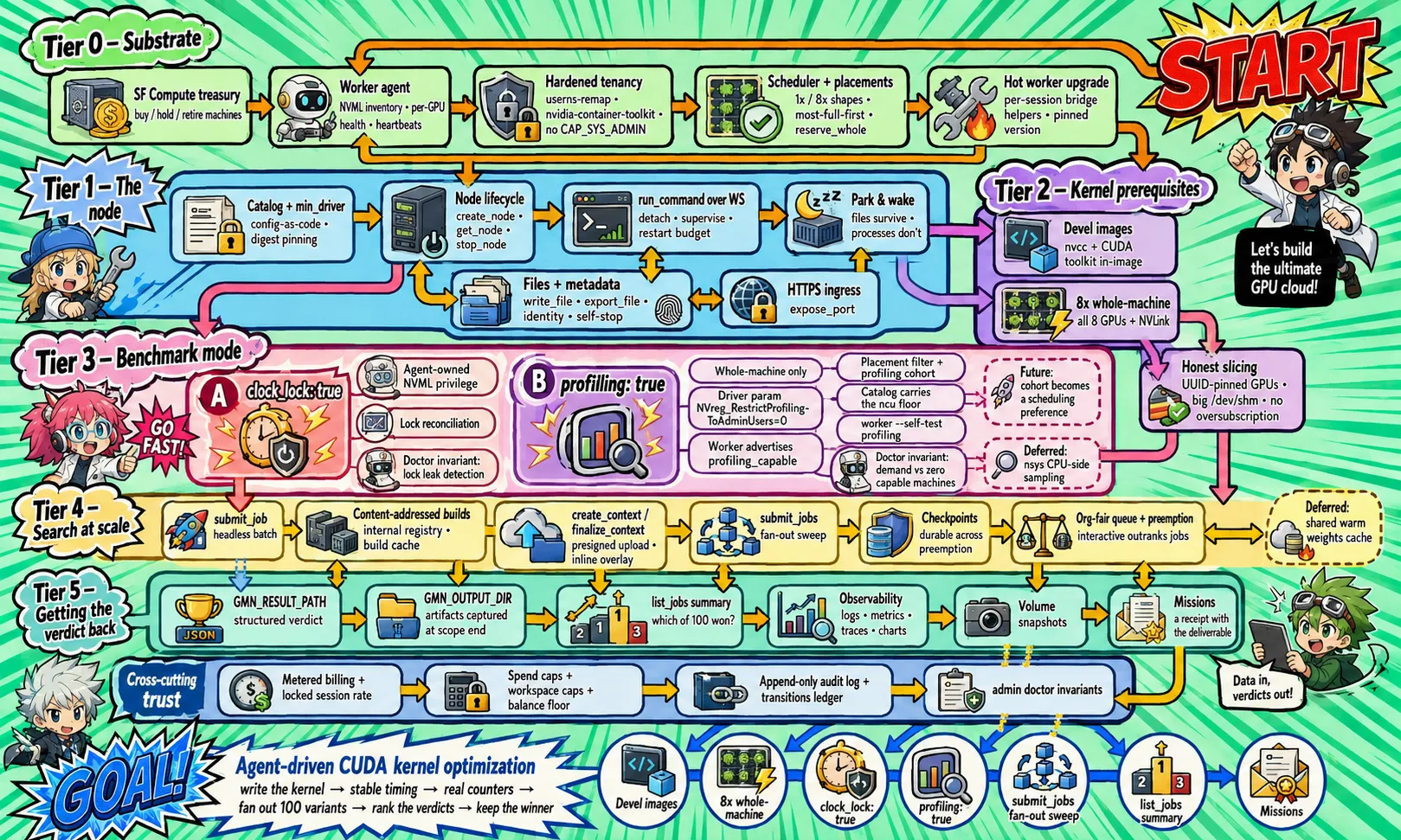
Ask for a whole machine with
profiling: true(CLI:gman node create --chip 8xh100 --profiling) and the GPU performance counters a profiler needs are open on it:ncureads occupancy, memory throughput and stall reasons on your own kernels, in your own container, with nothing to configure. Jobs take the same flag, so a kernel sweep can profile every variant it tries. It is free - you pay in shape, not in a surcharge.Counters are whole-machine only, deliberately: they can report on whatever else is sharing those GPUs, so on a shared machine they are never for sale - on a machine that is entirely yours they can only tell you about yourself. Ask for profiling on a single-GPU shape and you get a refusal that names the fix instead of a node that quietly cannot profile.
The other half is the profiler itself, and we stopped leaving it to chance. A node created with
profiling: trueand no image named now lands on an image whosencuis new enough to work on current drivers - the plain default's is not, and it fails with an opaque “failed to prepare kernel for profiling” that no unlocked machine can fix. Name an image that cannot profile and the request is refused rather than silently swapped, and when a snapshot restore is what pulled the newer toolchain in, the reply says so out loud. Jobs run your image, so bring your own: base on CUDA 12.9 or newer, or installcuda-nsight-compute.Profiling-capable machines are a small pool today, so a profiling request may wait for one - the queue tells you that rather than failing. Pair it with
clock_lockwhen you are comparing timings across runs; kernel-search work usually wants both.See every limit before you hit it
You say to your agent “How many nodes can I run, and how big can an object in our storage bucket be?”
Your agent can now answer from a table instead of a refusal:
list_limits(CLI:gman limits, REST:GET /limits) returns every limit's effective value for you in your org - node counts, object sizes, storage footprint, job knobs, all the numbers the refusal messages quote - with one line on what each bounds, whether support can change it for your org, and whether your org already carries an adjusted value. Plan the 40-node sweep or the 12 GB upload before hitting the wall, not after.Object storage: multipart objects over 5 GiB now land
You say to your agent “Upload this 12.6 GB checkpoint to our bucket as one object.”
Fixed: a multipart upload whose parts totaled more than 5 GiB used to upload every part and then fail at
CompleteMultipartUpload. The commit now assembles and promotes objects of any size (bounded by your org's storage footprint, not a per-object cap), and aCompletewhose response you lost is safe to retry - it converges on the assembled object instead of erroring. One PUT and one part still cap at 5 GiB each; every S3 client handles that automatically.A restoring node shows its progress - and you can call it off
You say to your agent “This node has said provisioning for twenty minutes. Is it actually restoring, or is it stuck?”
A node that is materializing a snapshot, whether it is waking with its disk or being cloned from one, now reports what it is doing.
get_nodecarries arestore_progressfield with the phase it is in - waiting for its turn, downloading, extracting - and the bytes moved so far, straight from the machine doing the work. Waiting behind other restores reads differently from downloading, and both read differently from wedged: a restore with no recent report from its host says exactly that, rather than showing nothing at all.And you can end one yourself.
stop_nodenow aborts a restore or a wake in flight and parks the disk, files intact, and the nextrun_commandstarts a fresh attempt. Until now a wedged restore had no customer-side exit: stopping and deleting both refused while the node was provisioning, so the only ways out were waiting or asking us. Provisioning has never been billed, so an abort costs nothing but the time already spent.The same release stops a sick machine from hiding. If the host your node is running on is failing our own container GPU health check,
get_nodesays so and names the move -stop_node, thenrun_command, which starts your container fresh. New work is already steered away from a machine in that state; this is for the session that was already there.
Prove your checkpoint restores - on demand, with /v1/yield
You say to your agent “Before I trust this path with a 12 GB training checkpoint, force a restart and prove the restore is byte-identical.”
A job that has committed a checkpoint can now end its own attempt and get it back:
POST /v1/yieldon the in-container metadata service stops the attempt with the same contractual shutdown a planned interruption gets, requeues the job without touching its restart budget, and restores the slot into$GMN_CHECKPOINT_DIRbefore the next attempt starts. Print a hash before yielding, verify it on resume, and the byte-identical proof is in your own logs - the supported way to qualify restoration before a long run depends on it.The economics are stated plainly: a yielded attempt bills its full span to the kill - a yield buys a restore, never a discount - and yields are budgeted (two per job) and refused without a committed capture, so the interruption-recovery machinery cannot be farmed. Attempts we interrupt keep billing only to your last checkpoint, exactly as before.
A sweep can land its output in your own bucket
You say to your agent “Run the 64-shard synthetic data generation and put the output in s3://acme-ml/synth/.”
Jobs take a destination now: pass
output_towith one of your write-enabled connections and a prefix, and what a job writes to its output directory is captured to your own storage instead of coming back as a download link from us. Each attempt lands at<prefix><job id>-<attempt>.tar, so a 256-variant sweep becomes one folder of results that cannot collide, and a requeued attempt cannot overwrite the one before it. A sweep names the destination once, for the whole batch, not once per variant.The credential is never on the job. We resolve the connection when the output is captured, which can be hours after you submitted: a key you rotate in between simply works, and one you revoke fails the capture honestly rather than holding a stale secret. If the connection is read-only or the prefix falls outside what it is scoped to, the whole batch is refused at submit and told why. Today the destination is an S3-compatible connection (AWS, R2, MinIO and friends); leave
output_tooff and jobs return download links exactly as before.Four times as many of your jobs run at the same time
You say to your agent “Queue all 40 evaluation runs overnight and show me a table of the results in the morning.”
One organization can now have 64 job GPUs running at once, up from 16, and queued jobs are allowed to fill more of the fleet before the scheduler holds any back. A 40-run sweep that used to trickle through two machines' worth of GPUs at a time now spreads across eight, so the morning table arrives a lot sooner.
Nothing about the bargain changes. Waiting in the queue is still free, your spend limit and workspace caps still bound what the sweep can cost, and asking for a node still outranks batch work: a job can be stopped to hand its GPUs to an interactive request, and a job that checkpoints picks up where it left off. If your queue is long enough to hit the new ceiling,
get_jobstill tells you your position and the wait.Narrow the dashboard to one workspace
If your organization runs several workspaces, the sidebar now has a picker for them. Choose one and the workspace-scoped views - your nodes, your missions - show only that workspace's work; the default, “all workspaces,” is every workspace you can see. A long list is searchable, so a lab with thirty of them is one keystroke away from the one that matters.
The choice is a view, not a mode. It lives in your browser alone, so it changes nothing for your teammates and nothing about what work bills to, which caps apply, or where a new node lands. If the workspace you picked is renamed, or your access to it changes, pages quietly fall back to showing everything instead of dead-ending on a name that no longer resolves.
Give a slow image build more than 30 minutes
You say to your agent “That build keeps dying half an hour in while it fetches Julia packages. Give it an hour and try again.”
An image build gets 30 minutes by default, which is plenty for almost everything and not enough for a few real cases: a large dependency tree pulled from a slow or flaky upstream, or heavy ahead-of-time compilation. You can now say so.
submit_jobandsubmit_jobstakebuild_timeout_minutes, anything up to two hours, and the terminal hasgman job submit --build-timeout 45m. Until now the 30 minutes was fixed, so a build that ran out of time was told to raise a limit that nobody could raise.You are billed for metered build time only; queued and idle time never counts, so a longer ceiling costs nothing unless a build actually uses it. The timeout is fixed when you submit, like the rest of a job's build settings, and a build with a raised ceiling now runs to its own deadline rather than the default one.
Connect Hugging Face from the browser, with no token to paste
Connecting your Hugging Face account used to be a terminal errand for an admin. Now it is a button: the Connections section of your team page offers it, and so does the wizard on your way in. You approve it once on Hugging Face's own site and come back connected. There is no token to create, copy, or paste, and we hold no secret afterwards - access is minted fresh for each use, and every use is recorded in your audit log.
You choose the grant while you are approving it. Pull models only, or pull models and push checkpoints back; and, if you want, a list of repositories it is allowed to touch, like
my-org/*. Leave that empty and the connection reaches whatever the grant reaches. The team page then shows what you granted, in those terms, and lets an admin disconnect it. Connections made from the command line stay managed from the command line, and the page says which is which.Change your spend limit on the billing page
The spend limit you set when you signed up, the hard monthly ceiling on what your account can spend, now lives on /billing too, next to everything else about your money. See the current number, change it, or remove it; a new value takes effect within about a minute. Nodes still stop before the limit is crossed, files kept, nothing deleted.
It is the same limit the onboarding wizard sets and the team page edits per workspace: one number, three doors, no way for them to disagree.
Projects are now called missions
You say to your agent “Open a mission called llama-serving and find me the cheapest way to serve Llama 70B under $200.”
Same object, new name: the named grouping that collects the nodes, jobs, and artifacts behind one question, with its cost, verdict, and outputs on one page, is now a mission. Every mission you already opened keeps its name, its history, and its page; only the word changed. “Project” means a dozen things across dev tools; a mission is what you actually hand an agent: a bounded question, opened, worked, and finished with an answer.
Nothing breaks today: old links redirect permanently, and agents calling the old tool names or passing
project:keep working until August 29, 2026; each such call answers with a note saying what to call it now. Agents pick up the new names automatically the next time they connect. If you exportusage.csv, theprojectcolumn is nowmission, and dashboards querying theprojecttelemetry label should switch tomission(series recorded before today keep the old label).A runway-blocked job now tells you the fix, not just the wait
You say to your agent “Why has my 12-hour training job been queued for three hours? One of the machines looks half idle.”
A job that never declared checkpointing only starts on a machine whose remaining reserved time covers its whole run - that rule protects the run from being cut off with nothing saved. Until now, the wait message named the gap (“needs 12h30m contiguous; longest available 8h”) but not the way out. It now does: if your command can resume from
$GMN_CHECKPOINT_DIR, resubmit withresume: "checkpoint"and the job may start in any window of about an hour and a half - when the window closes, it is stopped on purpose and resumed in the next one. Checking on any queued job that hasn't declared checkpointing now says the same thing, so the option finds you while you wait, not after.We also fixed the machinery behind the message: a brief worker reconnect could erase the wait note for a pass, and with it the signal that tells our capacity buyer a job is waiting on a longer window. The note - and the buying it drives - now survives those blips.
Stored secrets: give your agent a key without pasting it
You say to your agent “Run the training script with our Weights and Biases key. It is stored as the secret named wandb-prod.”
Store a value once from your own terminal (
gman secret create wandb-prod --material-stdin) and your agent can hand it to any command or batch job by name: the value is sealed on arrival, never shown by any listing, and never appears in your chat. Before this, the only way to pass a recurring key was pasting it into the conversation, which is recorded and outlives the task.Honest limits, stated plainly: the program you run still sees the value, exactly like any environment variable, so code on the node can read or print it. We scrub stored values out of captured logs as a courtesy, not a guarantee. For reading private datasets, a connection is still the stronger tool: with a connection the credential never enters the node at all.
Push results straight to your own bucket
You say to your agent “When the run finishes, push the checkpoints folder to s3://acme-ml/results/run7/checkpoints.tar.”
Connections can now carry write access. Create one with
gman connection create ... --verbs read,writeand your agent can push a file or folder from a node directly to your own S3-compatible storage (AWS, R2, MinIO, and friends): a folder lands as one tar file, the upload is signed on our side, and your key never enters the chat, the agent, or the node. Every push is recorded in your audit log with the connection, the node, and the destination.Reads are unchanged, and existing connections stay read-only until you create one that says otherwise. For a one-off download link instead of a push, export a file the usual way.
See every change to your organization in the new audit log
You say to your agent “What happened in our org this week?”
The new Audit log page lists every decision that changed your organization, newest first: nodes created and stopped, jobs submitted, members invited, roles changed, caps set, credits applied. Each event shows who did it, from which surface (the dashboard, an agent over MCP, the CLI), and when, with the details one click away. Filter by event type, person, or time window.
Agents can ask the same question: the
list_audit_eventstool returns the log as events with cursor paging, andgman auditprints it in the terminal (--jsonfor scripts). Admin and billing roles see the whole organization; members see their own decisions. Download the filtered view as CSV for the grant report, or passorder=ascto stream events oldest-first into your own tooling. Routine machinery (heartbeats, meter ticks, state transitions) is never in the log, so every line is a decision someone made.Service tokens: give CI its own identity, not yours
Running givemeanode from CI used to mean lending it a human login. Now an org admin can mint a service token scoped to one workspace: on the Team page, or with
gman token create --name ci-deploy --workspace protein-lab. Drop it into your pipeline asGMAN_TOKENand CI creates nodes, runs commands, and queues jobs as its own machine member, billed to that workspace under its cap, never touching anything outside it.The token is shown once when you mint it, so store it as a CI secret right away. It carries only the access you grant (compute by default; read-only and org-read variants are there if you want them), it expires in 90 days unless you choose otherwise, and revoking it on the Team page cuts access immediately. Every action it takes is named after the token in your audit log, so the record shows the pipeline, not a colleague who was asleep. Agents can never mint one: minting is an admin action from your own terminal or the dashboard.
Single sign-on, set up from your team page
You say to your agent “Require everyone in our organization to sign in through our identity provider, and let anyone with a verified company address join automatically.”
Your team page has a single sign-on section. Configure the connection to your identity provider and verify the email domains you own, both through setup links that open the provider's own configuration and expire after a few minutes. Then two switches. Require SSO means members must sign in through that connection; admins keep password sign-in deliberately, so a misconfigured provider is always fixable from inside (protect those accounts accordingly). Domain auto-join means anyone with a verified email at one of your verified domains joins as a member on their way in, bounded by your workspace and organization spending caps like every other member.
Both switches are also yours to ask for in words: your agent can read and set them, and each change lands in your audit log with who made it. Membership stays in step in both directions that matter: someone your provider adds to the organization is picked up here on their way in, and removing a member from your team page removes their membership at the provider too.
Receipts go straight to your finance team
Every card payment now emails a receipt: the exact amount collected, the payment date, the line items, and links to the hosted invoice and its PDF - the facts an expense tool matches against the card transaction. Receipts go to your organization's admin and billing members automatically, and a payment fully covered by credits charges nothing and mails nothing.
New on /billing: a finance email. Point it at an inbox that holds no account here - your AP alias, or the address your expense tool (Ramp, Expensify) watches - and receipts and billing notices land there too. Clear the field to stop. And if your accounting needs a purchase order number on invoices, tell support once through a ticket and every invoice after carries it.
Usage now rolls up by project
/usage answers a new question: what did each project cost? A per-project table totals node hours and spend, with node time and job time broken out separately, and each row links to that project's page. The by-workspace rollup now splits by member and GPU type as well.
The per-node table gained workspace and project columns, and so did the CSV download, so a spreadsheet built from
usage.csvcan pivot on the same lines the page shows.Snapshot storage drops to $0.10 per GiB-month
One storage price, not two. Snapshot storage now costs $0.10 per GiB-month, down from $0.11, matching object storage's headline rate. The cut takes effect immediately - price decreases skip the seven days of notice that increases carry - and the free allowance is unchanged. One honest footnote: snapshots meter in binary GiB while object storage tiers use decimal GB, so per byte the new snapshot rate lands slightly under the object tier, in your favor.
Overwriting a stored object is now all-or-nothing
You say to your agent “Replace corpus/latest.parquet in the bucket with today's build.”
Overwriting an existing object in a bucket is now atomic. Anyone reading while the upload runs sees the old bytes or the new bytes, never a mixture: the swap happens only once the upload completes and matches what was declared. A failed or abandoned upload cleans up after itself and can never touch the object it was meant to replace - the only thing that deletes your data is an explicit delete from you.
This also fixes a real bug: replacing an object with a smaller one could wedge that key, refusing every retry. Uploads now converge - fix the file, upload again, done.
Buy credits ahead of your usage, once or on a rule
Two new things on /billing. Buy credits charges the card you already have on file, anywhere from $10 to $10,000, and the credits are there immediately. Automatic top-up states a floor instead: when your credits fall below one amount, charge the card for another. Credits apply to an invoice before your card is charged, as they always have, so a balance simply gets spent down.
Credits you buy last twelve months, longer than the ninety days a promotional credit keeps, and whichever credit is closest to expiring is always the one spent first, so a bonus never quietly outlives its usefulness behind money you paid. Buying also settles an unpaid invoice on the spot if you are carrying one. Every purchase mails a receipt to the same people your other receipts reach, and turning the automatic rule on or off shows in your audit log, because a standing permission to charge a card is a change worth recording.
Nothing about ordinary billing changes: usage is still metered and invoiced after the fact, and prepaying is an option, never a requirement. There is still no payment form here - the charge goes to the card you attached through the billing portal, and if it declines you are told so plainly. A failed automatic charge waits a day and emails your billing members rather than hammering the card, since card issuers read rapid retries as fraud.
Press ⌘K to jump anywhere in the dashboard
Press ⌘K (Ctrl+K on Windows and Linux) from any signed-in page and a find window opens: type a few letters and jump straight to a page, one of your nodes, or one of your projects. Arrow keys move the selection, Enter goes, Esc closes. The same box sits at the top of the sidebar as “Find” if you prefer the mouse.
Results cover everything the sidebar knows plus your own objects by name: every dashboard page (and the operator console, for operators), your GPU nodes, and your projects. Node and project matches update as you type.
Failed snapshot uploads stay visible - and retry themselves
You say to your agent “My snapshot was uploading, then list_snapshots came back empty. Where did it go?”
Three fixes from one incident. First, a snapshot whose upload fails now stays in
list_snapshotsasstatus: failedwith the honest reason, until a newer snapshot of the same node supersedes it or youdelete_snapshotit - an upload failure reads as what it is, never as a disappearance. Your node's disk is untouched either way: the failure is the copy, not the source.Second, a customer snapshot severed mid-upload (a worker restart, a stall) is now re-requested automatically while the node's disk is still parked - the same retry our internal snapshots always had - and any expiry timer you set rides along to the fresh attempt. Third, platform deploys now wait out in-flight snapshot uploads instead of killing them: the worker defers its own upgrade until uploads drain, and the control plane stops nudging a worker that is mid-upload in the first place.
Jobs can checkpoint - and resume where they left off
You say to your agent “Submit the training run with checkpointing so an interruption costs us minutes, not the whole run.”
Every job now gets a durable checkpoint slot. Write your state to
$GMN_CHECKPOINT_DIR, then tell us it is consistent (POST /v1/checkpointon the in-container metadata service) - we capture it, encrypted under a key only the control plane holds. If the job is ever interrupted - a preemption, a machine dying, capacity ending - the next attempt finds the slot restored into the same directory before your command starts. If the directory is non-empty, resume from it; that is the whole contract. Jobs also gainedGET /v1/jobfrom inside the container: which attempt, how long is left, when the last checkpoint landed, and an early warning event when the machine is scheduled to retire.Billing follows honestly: an attempt we cut short now bills only up to its last checkpoint - you pay for progress that survives, and nothing after it. And if you declare
resume: "checkpoint"at submit, the scheduler will start your job in shorter capacity windows it previously had to skip: when a window closes, the job is stopped on purpose, requeued without touching its restart budget, and resumed from the slot in the next window.Jobs blocked on short-lived capacity now say so - and get unblocked
You say to your agent “Why hasn't my 4-hour job started? The queue said any moment, an hour ago.”
A job is only placed on a machine that provably has enough reserved time left to finish it - that rule protects your run from being cut off mid-flight. But when every machine's remaining reservation was shorter than a job needed, the job looked like an ordinary queue wait, with a position and a cheerful estimate that could never come true. Now the job says exactly what is wrong:
get_jobreports something like “needs 4h30m contiguous; longest available 3h20m”, and the wait estimate goes null instead of guessing.More importantly, the platform now resolves it instead of waiting you out: when queued jobs need a longer window than any machine currently holds, we extend a machine's reservation to cover the longest one automatically, and the queue drains. And
submit_jobtells you up front - acapacity_warningfield when no machine currently holds enough contiguous time (expect some queueing while we arrange it), or an immediate refusal with the numbers if the requested duration could never fit any window we can buy.Sign in from a machine with no browser
gman loginused to open a browser and wait on a local callback, which made signing in from an SSH host or a cluster node an exercise in port forwarding:ssh train-box-3 gman loginNow, when there is no browser to open, the CLI prints a sign-in URL and a short code instead. Open the URL on your laptop or phone, confirm the code, and the shell you started from is signed in. Nothing listens on the remote machine, no ports are forwarded, and no token is copied by hand. The CLI picks this path automatically over SSH or when no display is available, and
gman login --device-codeforces it anywhere. Upgrade withgman upgrade; this ships in gman 0.2.2.
Your buckets now speak S3
Object storage grew a real S3 endpoint. Mint an access key scoped to one bucket, and
aws s3 cp, boto3, DuckDB, rclone, and everything else that speaks S3 works against your data directly:gman storage key create --bucket corpus --access rw aws s3 sync ./train-data s3://corpus/train/ \ --endpoint-url https://storage.givemeanode.comKeys are read-only unless you ask otherwise, revocable in one command with immediate effect, and listed with when they were last used. Multipart uploads, ranged reads, and presigned URLs all work, so tools like DuckDB can query parquet straight out of a bucket. Nothing changes for agents: they keep reading buckets through connections, with no key involved.
Your data never trains a model, now in writing
You say to your agent “Before we move the corpus over, check whether givemeanode trains on customer data.”
The answer has always been no, and it is now a contractual commitment rather than a habit. The new Data Use Policy, part of the Terms of Service, states that we do not use customer content to train, fine-tune, evaluate, or otherwise improve machine-learning models or generalized products, and that our subprocessors are not permitted to either. It enumerates what customer content means here: node disks and snapshots, uploads, object storage, command strings, logs, job inputs and outputs, imported data, and telemetry. There is nothing to opt out of; this is the only mode the service has. A signed data processing agreement is available on request through the contact form.
Hand your agent private data without pasting a secret
You say to your agent “Import the gated corpus from our Hugging Face repo onto this node.”
Public data was never a problem, but data behind a credential, a gated Hugging Face repo or a private S3 bucket, used to mean pasting a token into the chat, which is exactly where a token should never go. Now an admin describes the access once, from their own terminal with
gman connection create, and from then on your agent refers to the connection by name. We fetch the bytes onto the node ourselves, so the credential never appears in the chat, in the agent, or on the node. For S3 the connection can be a cross-account role, which involves no secret at all. (Hugging Face no longer needs the terminal at all: since 29 July you can connect it from your team page by approving the grant in a browser.)The same release adds object storage: buckets on our own object store that your organization owns, filled from the command line (
gman storage cp ./data corpus/) and read by agents through the same import path. The first 100 GB is free, then storage starts at $0.10 per GB-month and gets cheaper in tiers as it grows.Snapshot a node once, clone it many times
You say to your agent “The environment is ready. Snapshot it, then give me four clones and run one config on each.”
A snapshot is a durable copy of a stopped node's disk, safe against anything that happens to the machine. Prepare an environment once, weights downloaded, kernels compiled, and checkpoint it. A snapshot restores into as many new nodes as you like, and restoring counts as provisioning, so a clone costs nothing until it is ready. Snapshots never expire on our timer, but you can give one an expiry so it cleans up after itself, and snapshot storage is priced per GB-month past a free allowance, with the rate quoted in the response.
Logs, metrics, and traces for every run
You say to your agent “Which of last night's runs starved the GPU, and why?”
Every background command's output now streams into queryable storage as it is produced, so logs outlive the node they ran on and searching a week of runs is one question. GPU utilization, memory, power, and spend are recorded automatically for every node, your training script's own metrics can join them, and requests can be traced end to end. Charts your agent saves land on the project's page at /projects, so each project reads like the instrument panel of that investigation.
gman: the whole product from a terminal
Agents talk MCP and humans had the website, but a person at a shell, or a script in CI, had neither. Now everything your agent can do, you can do as typed commands:
curl -fsSL https://givemeanode.com/cli.sh | bash
gman login
gman node create --chip h100
gman run demure-hawk -- nvidia-smi
Under the CLI sits a plain HTTP API you can curl with the same token, described at /preview/openapi.json. It is a preview, so the contract may still move before it is promoted to v1. Every example on /docs now shows the same action three ways: the English you say to an agent, the gman command, and the raw MCP call.
Queued jobs now tell you how long the wait is
You say to your agent “How long until my evaluation jobs start?”
The answer is now a live place in line and a wait estimate, measured from how fast the queue has actually been moving. If there is not enough recent activity to estimate from, the answer says so instead of guessing. Time spent waiting in the queue is still free, so a long estimate costs you nothing but patience.
Send big files from your side to a node
You say to your agent “Take the dataset sitting in your sandbox, it is about 2 GB, and put it on my node.”
Small files could already be written straight onto a node, and anything public could be downloaded from inside it. Files that exist only on your agent's side, like a private dataset, were the awkward case. Now your agent can upload up to 10 GB once and land it on any node, and the same upload stays reusable for about thirty days, so five nodes and a batch job can all read the one copy.
File a support ticket without leaving the chat
You say to your agent “My node will not wake up. File a support ticket and include what we just tried.”
Your agent can now open a ticket with us, attach the story of what it was doing when things went wrong, and check back later for our reply. You can read and answer the same tickets yourself at /contact. Nothing about getting help requires leaving the conversation where the problem happened.
Projects group the work of one investigation
You say to your agent “Start a project called scaling-laws and put tonight's runs in it.”
A project collects the nodes and jobs that belong to one question you are trying to answer. Next week you can ask “what did we try in scaling-laws, what did it find, and what did it cost?” and get one answer instead of a hunt through history. Your projects also have their own page in the dashboard at /projects.
Referrals now pay both sides
You say to your agent “Get me my referral link.”
Share the link with a friend. When they sign up through it and add a payment card, they get $50 of credit to spend on GPUs, and you earn credit worth 2% of what they go on to spend. The /referrals page shows who signed up, when, and what you have earned, day by day.
One dashboard for your whole account
Open /dashboard and everything about your account is in one place: usage, billing, team, referrals, and projects, in a single sidebar instead of separate pages you had to know the addresses of. The public site got the same cleanup. Every address you may have bookmarked still works.
The status page now tests the real product, constantly
Open status.givemeanode.com and you will find a monitor called End-to-end. Every few minutes we create a real node, run a real command on it, and stop it, exactly the way your agent would. If any step of that breaks, the status page turns red on its own, usually before you would have noticed anything. A green status page now means the product works, not just that the website is up.
The manual is one page, and agents can read it too
You say to your agent “Read https://givemeanode.com/llms.txt, then get me a node and set up my repo on it.”
Everything about the product now fits on one page at /docs, from getting your first node to batch jobs, and every section has its own link you can send to someone. The same manual is published as plain text at /llms.txt, so an agent can read the docs the way you would and stop guessing.
Ask whether a server on your node is answering
You say to your agent “Is the model server on port 8000 up yet? How fast is it?”
Your agent can now make one timed web request to any port on your node and report back the status and the response time. It works on ports you have not made public, and it replaces the fragile dance of quoting a curl command inside a shell command inside a tool call.
Batch jobs: queue hundreds of runs, pay only for the running ones
You say to your agent “Queue 200 evaluation jobs overnight and show me a table of the results in the morning.”
Jobs are for work nobody should babysit. Your agent describes the run, we build it, put it in a fair line, run it, and bill only the minutes it is actually running. Waiting in the queue is free, and hours in the queue on a busy night is normal, not a problem. Each job can declare its result as it finishes, so “show me the results” comes back as a tidy table instead of a pile of logs.
You say to your agent “Try learning rates 1e-4, 3e-4, and 1e-3 on the same setup and tell me which one trains best.”
One request can carry up to 256 variations of the same job. They share one build, run as separate jobs, and read back as one comparison.
A training script can stop its own node
The last line of a training script can now be one small web request that stops the node it is running on, so a run that finishes at 3 AM stops billing at 3 AM instead of when someone wakes up:
curl -s -X POST -H 'Metadata-Flavor: givemeanode' http://169.254.42.1/v1/stopScripts on a node can also ask who they are and what they cost per minute, and watch for warnings that carry deadlines, like a machine being retired, in time to save a checkpoint. No password or key is needed for any of this; running on the node is the credential.
Pin the GPU clock for benchmarks
You say to your agent “Get me a node with the GPU clock pinned. I want benchmark numbers I can compare across runs.”
GPUs quietly raise and lower their own speed with temperature and load, which makes two runs of the same benchmark disagree for no interesting reason. Ask for a pinned clock when the node is created and your timings become comparable. It costs nothing extra.
Let a connection do less than everything
Give a CI agent a connection that can run nodes and jobs but cannot see billing or invite anyone. Give a finance script a connection that can read spending and touch nothing. When an agent connects, the approval screen is now a checklist: infrastructure and organization are separate boxes, each with a read-only version, and a box you leave unchecked is an ability that connection never even sees.
See exactly what you spent
You say to your agent “How much did we spend on GPUs this week, and on what?”
The answer comes back per node and per minute, and the same ledger renders in the browser at /usage, split by workspace, by person, and by node, with a CSV download for your spreadsheet. Invoices, receipts, and your payment method live at /billing.
Bring your team
You say to your agent “Invite sam@lab.edu to our workspace as a member.”
Every account is a team of one until you invite someone. Members run their own nodes on the shared bill, admins see everything, and a billing role sees just the money pages. A workspace can carry a spending cap, and an admin can stop any node in the organization, which is the answer to a student's forgotten node burning money over the weekend. The same controls live at /team.
Put a port on the internet
You say to your agent “Serve the model on this node and give me a link I can open in my browser.”
Your agent can now take any port on a node, a TensorBoard, a Jupyter server, a model answering requests, and give it a public HTTPS address. Anyone holding the link can reach it, so treat the link like a password, or ask for token protection on top. Traffic through the link is free and never keeps the node awake on its own.
A queue that holds your place
You say to your agent “Get me an 8 GPU machine. I can wait up to an hour.”
When every machine is busy, asking for a node now gets you a place in line instead of an error, with a live position and a wait estimate. The moment a slot frees, the node is yours. Waiting costs nothing, and asking again never loses your spot or creates a duplicate.
Files in and out
You say to your agent “When training finishes, download the checkpoint folder to my machine.”
Your agent gets back a private download link, and a whole folder arrives as a single archive. In the other direction it can write small files like scripts and configs straight onto the node, and fetch big public things like datasets and models from inside the node, where the network is fast.
Training runs that outlive the conversation
You say to your agent “Start the training run, then check on it every hour and tell me if the loss stops falling.”
Long work now runs in the background on the node, so nothing is lost when a chat moves on or a tool call times out. Your agent can read the newest log lines, see whether the run is still going, and stop it, all later. Checking on finished work never wakes a stopped node, so it is always free.
Stop paying, keep your files
You say to your agent “Stop the node. We will pick this up tomorrow.”
A stopped node costs nothing and keeps its disk exactly as you left it. Tomorrow, “wake tulip back up and keep going” is the whole procedure; the next command wakes it automatically. It behaves like a machine you can power off: files survive, running programs do not.
givemeanode is live: GPU nodes your agent can ask for
You say to your agent “Get me a GPU node, clone github.com/you/yourrepo on it, and run the benchmark.”
That sentence is the whole product. givemeanode gives AI agents like Claude, Codex, and opencode on-demand H100 nodes, billed by the minute, with no SSH keys and no console to click through. You connect it once:
claude mcp add --transport http givemeanode https://mcp.givemeanode.comA browser window asks you to approve, and from then on your agent can get nodes, run commands on them, and hand you the results. The price is quoted at the moment each node is created, and that quote is what you pay.